For GP practices
The right request, to the right person.
MedicApp sends each patient request to the right person in your practice, by your rules, so GPs read what needs a GP.
Ask for a walkthrough Watch the film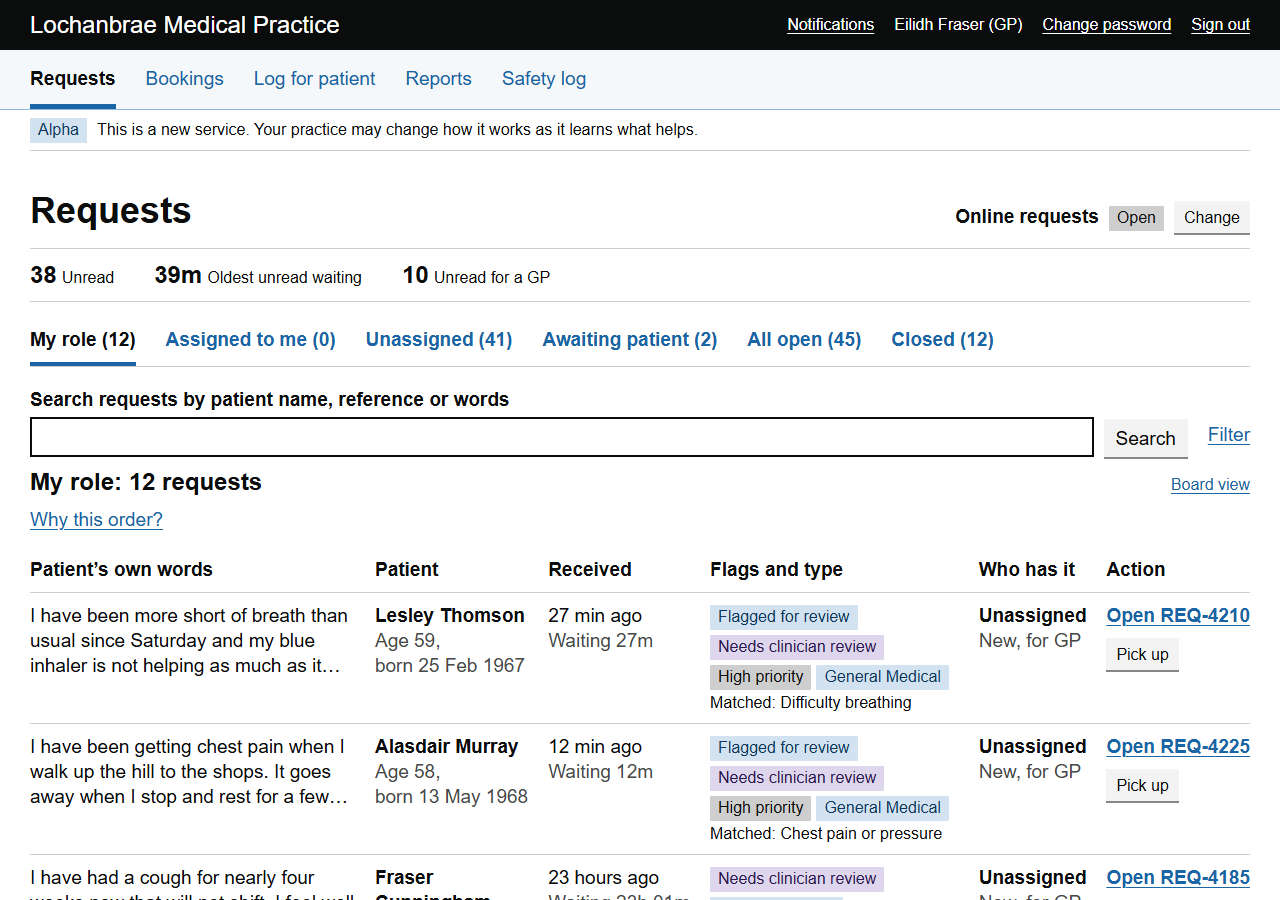
By nine, the list is longer than anyone can read.
A repeat prescription and chest pain sit side by side, and a GP opens both. Requests a pharmacist, a nurse or reception could have dealt with wait behind the ones that need a doctor.
Watch the walkthrough
A Monday morning at a GP practice, in eleven minutes.
Recorded on a demo system. The practice and everyone in it are made up, and the categories, summaries and translation were prepared in advance. Captions are on screen throughout. AI-generated voiceover.
How it works
Your rules choose the queue. A person decides.
-
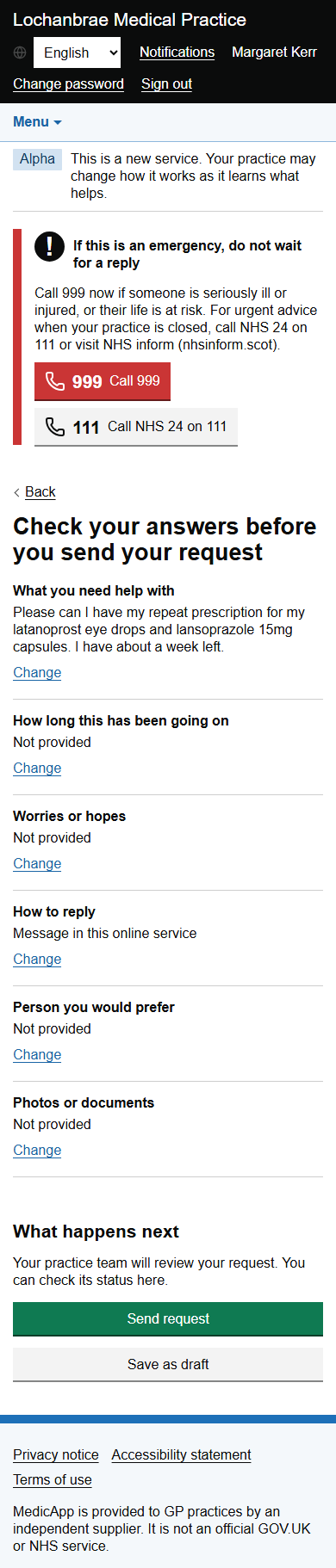
The patient writes what they need
In their own words, on a phone. They check their answers and get a reference.
-
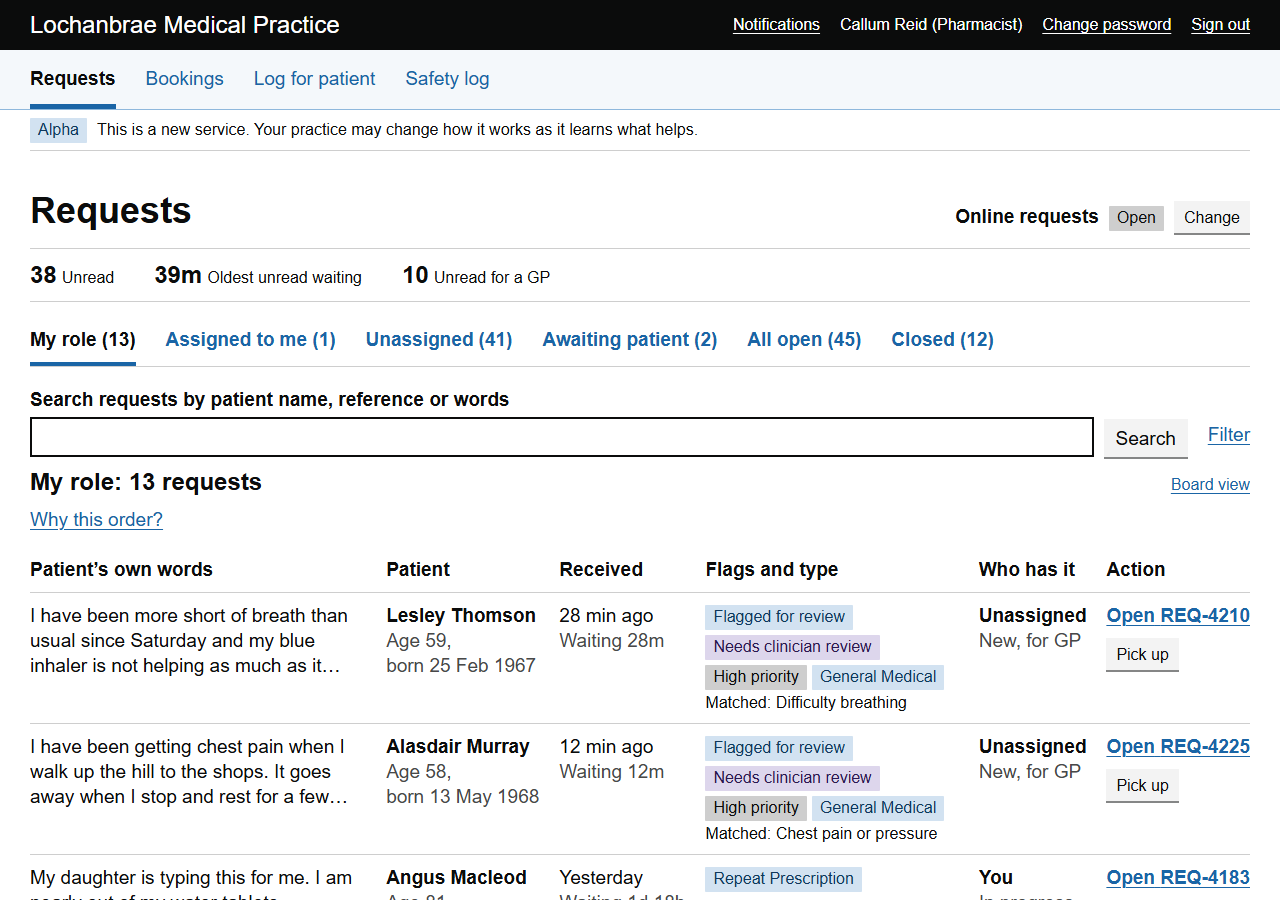
Your rules send it to a queue
GP, pharmacist, nurse and reception each have a queue. The practice owns its categories and chooses which role each one goes to.
-
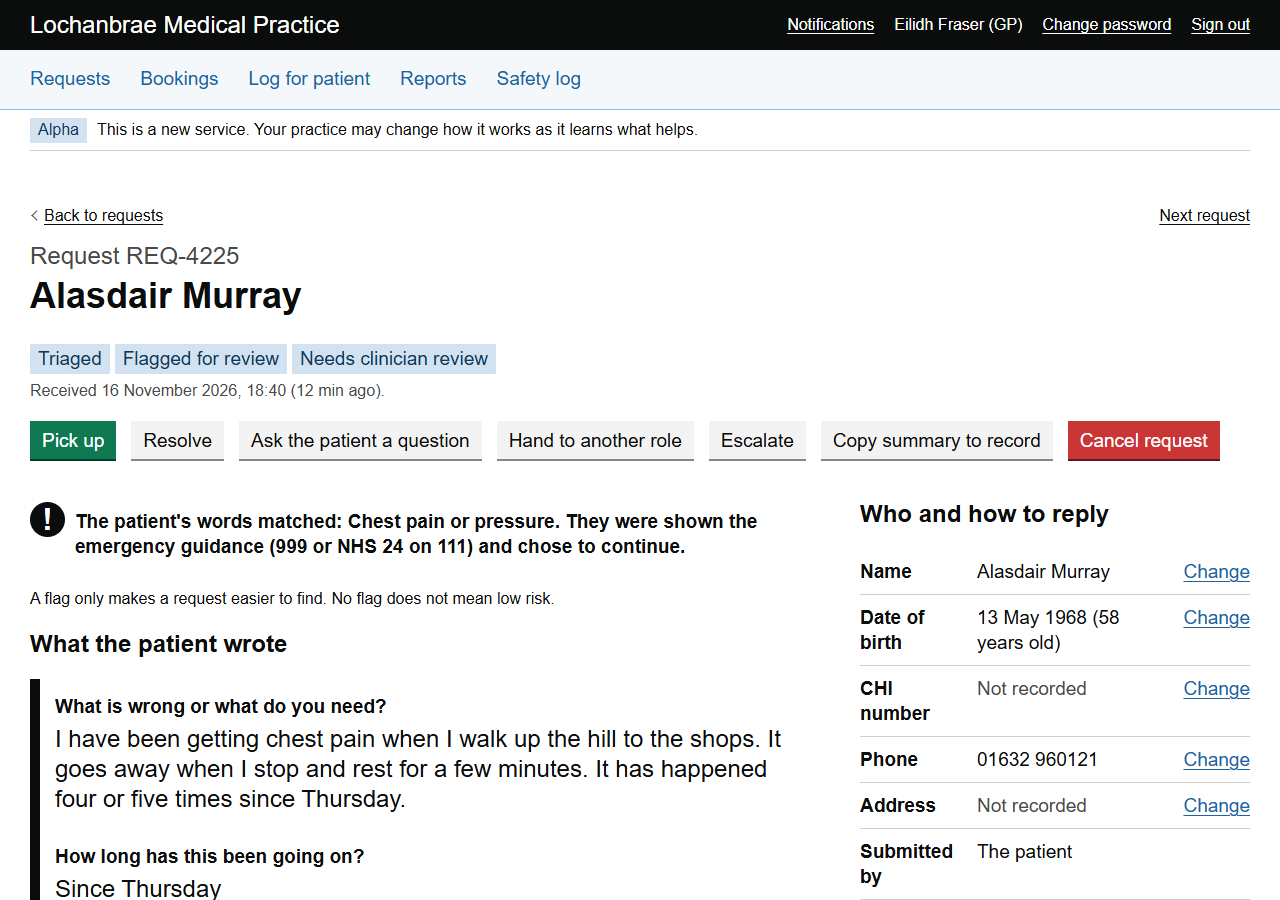
A person reads it and decides
The patient's words come first. Staff can hand a request to another queue in one step, with a note.
When it is too much
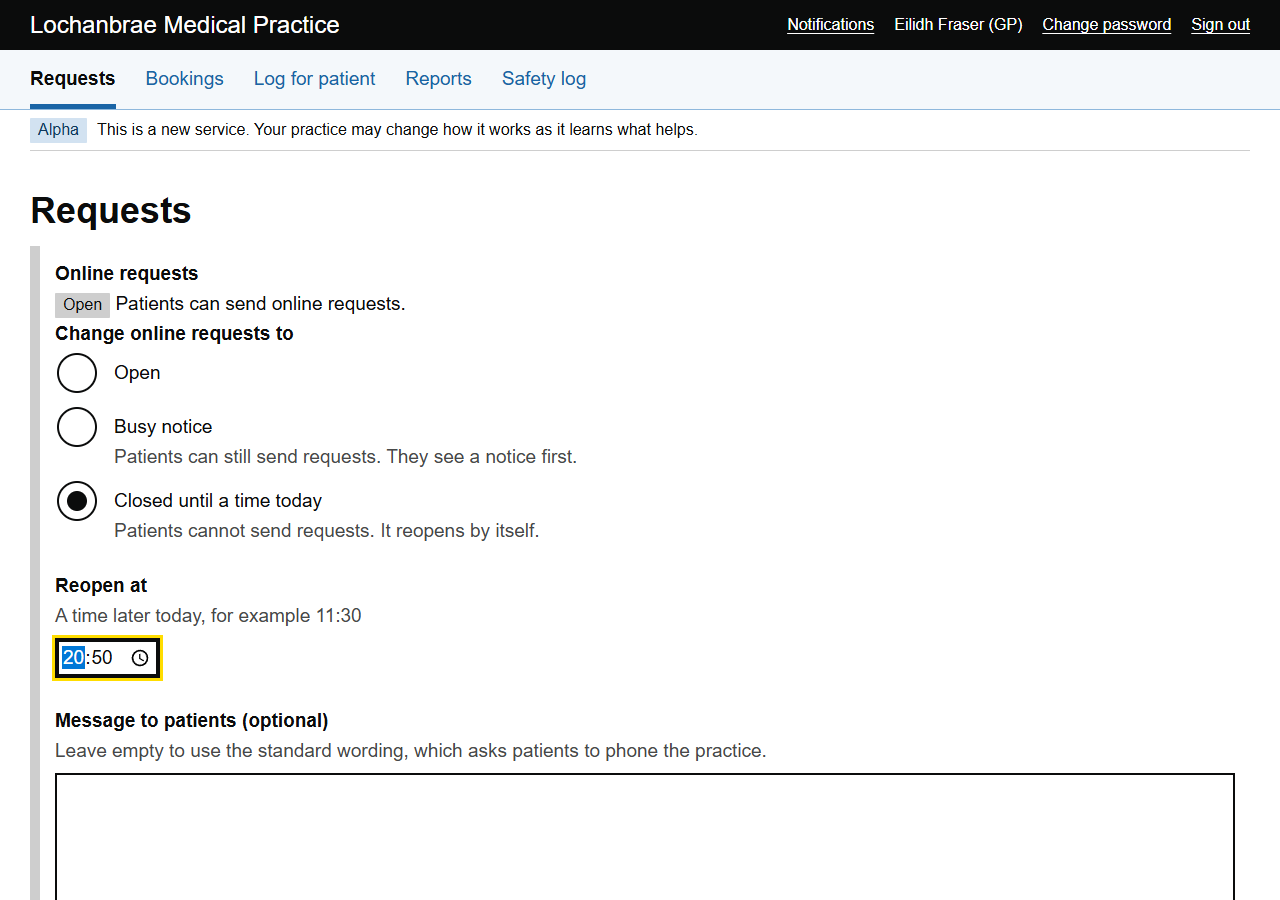
Slow the flood, or close the gate for a while.
Tell patients you are busy, or close online requests until a time today. It reopens by itself, and every change is recorded. For practices in England, a setting keeps online requests open through core hours.
Safety
Flag, don't triage.
Software sorts and labels. Your rules flag and route. A person decides.
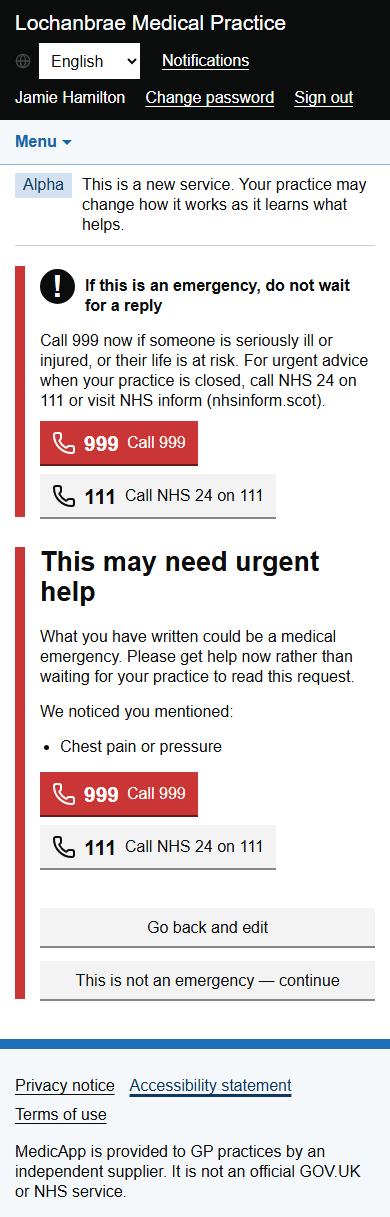
- Emergency wording. If a patient's words match the practice's emergency phrases, they are told to call 999 or 111 before anything is sent.
- Flagged requests stay clinical. Only a clinician can pick up or complete a flagged request.
- Phone calls count too. Reception can log a phone call as a request, and it follows the same rules.
- A safety log. Staff can record concerns and near misses.
What it is not
Plainly, where it stands today.
MedicApp does not replace 999 or 111, does not read or write the patient record, and is not yet in use at a practice. The screens on this page are from a demo system, and the practice and everyone in it are made up.
We are looking for our first pilot practices. Built by AJAEX in a joint venture with two GPs.
See it with your own morning in mind.
Ask for a walkthrough and we will show you the product on a demo system.